

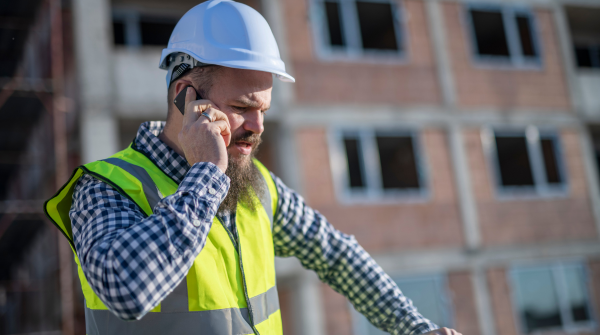
The project superintendent stands in the middle of a job site 45 miles from the nearest town, looking at his tablet with frustration. He needs to pull up the latest structural drawings to resolve a question from the steel crew, but the connection keeps timing out.
Meanwhile, the project manager back at the office is trying to get a status update before the owner meeting in 30 minutes. She’s called the superintendent three times, but calls keep dropping. Even when they connect, the line quality is so poor that half the conversation is “Can you hear me now?”
By the time connectivity issues are resolved, the steel crew has made assumptions and continued working. Assumptions that turn out to be wrong, requiring rework that costs $12,000 and delays the schedule by two days.
This scenario plays out often at construction sites across the country. Despite living in an era of ubiquitous internet connectivity, construction sites, particularly remote or temporary locations, often have connectivity challenges that would have been unacceptable in office environments a decade ago.
The result? Lost productivity, delayed decisions, frustrated field teams, and ultimately, projects that cost more and take longer than they should.
Why Job Site Connectivity Matters More Than Ever
Construction has always been a field-intensive business. But the technology demands on field teams have increased dramatically in recent years.
The Evolution of Field Technology Needs
Twenty Years Ago: Field teams operated largely independently from office systems. They worked from printed drawings. They recorded time on paper. They communicated via radio or phone. They delivered information to the office at the end of each day or week.
Connectivity requirements were minimal, a phone line was sufficient for most needs.
Today: Field teams are expected to work from digital systems in real-time:
- Access current drawings and specifications electronically
- Review and respond to RFIs and submittals
- Enter time and progress daily into project management systems
- Take and share photos documenting conditions and progress
- Participate in video meetings with owners, designers, and office staff
- Use mobile apps for quality inspections, safety reporting, and equipment tracking
- Coordinate with subcontractors via email and collaboration platforms
These activities require reliable, adequate connectivity. Without it, field teams can’t access the systems and information they need to work effectively.
The Business Impact of Poor Connectivity
When job sites lack reliable connectivity, the impacts cascade through operations:
Productivity Loss: Field teams waste time waiting for slow connections, retrying failed uploads, traveling back to the office to access information, or working around connectivity limitations instead of focusing on actual construction work.
Decision Delays: Questions that should be resolved in minutes take hours or days because field personnel can’t quickly access information or communicate with decision-makers.
Safety Risks: When safety information, procedures, or incident reporting require connectivity that isn’t available, safety programs suffer. Digital safety tools become unusable, and firms revert to paper-based approaches that are less effective.
Quality Issues: Quality inspections and documentation increasingly rely on digital tools. Without connectivity, these tools can’t function, undermining quality programs.
Client Dissatisfaction: Owners increasingly expect real-time visibility into project status through dashboards, mobile apps, and digital collaboration tools. Poor job site connectivity makes it impossible to deliver these capabilities, frustrating clients who expect construction to operate with the same technology sophistication they see in other industries.
Competitive Disadvantage: Firms that solve connectivity challenges can deploy technology that improves productivity, quality, and client service. Those that don’t find themselves increasingly at a disadvantage.
A study by the Associated General Contractors found that 78% of contractors report connectivity challenges at job sites, and 63% say poor connectivity directly impacts project schedules and costs.
For an industry operating on thin margins where schedule delays can be extremely expensive, connectivity isn’t a luxury, it’s a business necessity.
The Unique Connectivity Challenges of Construction Sites
Why is job site connectivity so challenging? Construction faces unique requirements that differ from typical business connectivity needs.
Temporary and Changing Locations
Unlike offices that remain in fixed locations for years, construction sites are temporary. Projects last months or a few years, then the site reverts to its original use or becomes a building where your need for connectivity ends.
This temporary nature creates challenges:
- Justifying infrastructure investment for short-term use
- Dealing with locations that lack existing connectivity infrastructure
- Adapting to changing connectivity needs as projects progress through phases
Remote and Challenging Locations
Many projects occur in locations specifically chosen because they’re undeveloped, which often means they’re remote from existing telecommunications infrastructure.
Highway projects stretch across rural areas. Pipeline construction occurs in areas without nearby towns. New development happens where infrastructure doesn’t yet exist. Even urban infill projects may be in industrial areas with limited connectivity options.
Harsh Environmental Conditions
Construction sites are harsh environments for technology:
- Extreme temperatures (hot summers in trailers without climate control, cold winters in outdoor areas)
- Dust, dirt, and debris that infiltrate equipment
- Moisture from rain, humidity, or construction processes
- Vibration from heavy equipment
- Risk of physical damage from construction activity
Standard office networking equipment isn’t designed for these conditions. Purpose-built solutions are required.
Distributed and Mobile Users
Office environments have defined workspaces like desks where people sit with computers.
Construction sites have distributed, mobile users:
- Workers moving throughout large sites
- Multiple areas of active work simultaneously
- Trailer offices in various locations
- Subcontractors needing access in their work areas
- Inspectors and visitors requiring temporary connectivity
Connectivity solutions must cover large areas and support mobile users, not just fixed locations.
Security Concerns
Job sites have dozens or hundreds of workers from multiple companies moving through daily. Providing connectivity while maintaining security is challenging:
- How do you authenticate legitimate users vs. unauthorized access?
- How do you protect sensitive project information when many people have network access?
- How do you prevent one subcontractor from accessing another’s information?
- How do you maintain connectivity when someone’s device may be compromised?
Variable and Growing Bandwidth Needs
Connectivity needs vary significantly across project phases and throughout each day:
- Early in projects, needs may be minimal with a few people in a trailer
- As projects ramp up, dozens of users need simultaneous access
- Peak times (morning when everyone arrives, afternoon during coordination meetings) create bandwidth spikes
- Uploading large files (drone imagery, 3D scans, high-resolution photos) requires significant bandwidth temporarily
Solutions must accommodate this variability without over-investing in capacity that’s rarely needed.
Budget Constraints
Construction operates on tight margins. Connectivity budgets are typically modest, and project teams resist investing heavily in temporary infrastructure.
Solutions must be cost-effective while still meeting reliability and performance requirements, a challenging balance.
Field Connectivity Solutions: What Works
Given these challenges, what connectivity solutions work effectively for construction sites? Several approaches, often used in combination, address different scenarios:
Cellular Solutions
Modern cellular networks (4G LTE and increasingly 5G) provide connectivity in many locations without requiring physical infrastructure.
Advantages:
- Available in most populated areas and increasingly in rural locations
- No infrastructure installation required
- Relatively fast deployment
- Supports mobile users naturally
- Cost-effective for limited users
Challenges:
- Coverage varies. Not available in all remote locations
- Bandwidth shared with all cellular users in the area (performance varies)
- Can be expensive for high data usage
- Security concerns with public networks
- May require specialized equipment for reliable service
Best Applications:
- Small projects with limited connectivity needs
- Remote areas where other options aren’t feasible
- Backup connectivity for other solutions
- Individual mobile users
Implementation Approaches:
Mobile Hotspots: Individual devices providing connectivity for a few users. Quick and easy but limited capacity.
Cellular Routers: Industrial-grade routers with cellular connections providing connectivity for entire job trailers or work areas. More capable than hotspots with better security.
Cellular Signal Boosters: Amplify weak cellular signals to improve reliability and performance in areas with poor native coverage.
Bonded Cellular: Combine multiple cellular connections for increased bandwidth and reliability. More expensive but effective when high-capacity cellular is needed.
Satellite Solutions
Satellite internet provides connectivity anywhere with clear sky view, making it valuable for truly remote locations.
Advantages:
- Available anywhere (no terrestrial infrastructure required)
- Improving technology (new low-earth-orbit satellites offer better performance)
- Only option for truly remote locations
- Weather-resistant (modern systems work in most conditions)
Challenges:
- Higher latency (delay) than terrestrial options, especially with traditional geostationary satellites
- Weather can affect performance (heavy rain, snow)
- Expensive, particularly for high bandwidth
- Requires professional installation and equipment
Best Applications:
- Remote projects where cellular coverage doesn’t exist
- Backup connectivity for critical projects
- Temporary projects where other infrastructure installation isn’t justified
Technology Options:
Traditional Geostationary Satellite: Older technology with high latency but broad availability. Adequate for basic internet but challenging for real-time applications.
Low-Earth-Orbit (LEO) Satellite: New systems like Starlink offering much better performance with latency approaching terrestrial options. Increasingly viable for construction applications.
Fixed Wireless
Fixed wireless uses radio connections between a site and a nearby tower providing internet service. Think of it as a dedicated wireless connection rather than shared cellular.
Advantages:
- Good performance (often comparable to wired connections)
- Available in many areas without wired infrastructure
- Lower latency than satellite
- Cost-effective for medium to high usage
- Quick installation (days instead of weeks)
Challenges:
- Requires line-of-sight to wireless tower
- Coverage limited to areas with fixed wireless providers
- Performance varies by provider and location
- May require professional installation
Best Applications:
- Projects in suburban or rural areas within range of fixed wireless providers
- Medium to large projects with significant connectivity needs
- Situations where wired connections aren’t available or take too long to install
Wired Solutions (Fiber, Cable, DSL)
Traditional wired internet connections offer the best performance and reliability when available.
Advantages:
- Best performance (high bandwidth, low latency, reliable)
- Predictable cost (flat monthly fees regardless of usage)
- Most secure
- No weather impact
Challenges:
- Not available in many job site locations
- Installation can take weeks or months
- Expensive installation costs for temporary connections
- Difficult to justify for short-duration projects
- May require minimum contract terms
Best Applications:
- Long-duration projects (18+ months)
- Projects in developed areas where infrastructure exists
- Large projects with high connectivity needs
- Owner-occupied buildings under construction where connection will remain useful post-construction
Hybrid Solutions
Most effective connectivity strategies use hybrid approaches, combining multiple technologies for reliability and cost-effectiveness:
Primary and Backup: Wired or fixed wireless for primary connectivity with cellular backup. If the primary connection fails, cellular automatically takes over, ensuring continuous connectivity.
Load Balancing: Multiple connections used simultaneously, with traffic distributed across them. Provides both increased capacity and redundancy.
Use-Case Specific: Different technologies for different needs. Wired connection for office trailer and critical systems, cellular for mobile field users, satellite for extremely remote site areas.
Connectivity Best Practices
Based on extensive experience implementing connectivity solutions across hundreds of projects, here are best practices:
Plan Early
Address connectivity during project planning, not after mobilization. Late connectivity planning leads to hasty, suboptimal solutions. Include connectivity in your project setup checklist.
Test Before Relying
Before committing to a solution, test it. Visit the site with cellular devices from multiple carriers to test actual coverage. Verify line-of-sight for fixed wireless. Don’t assume coverage maps are accurate.
Right-Size Your Solution
Avoid both over-investment and under-investment. Match connectivity to actual needs. A small project doesn’t need enterprise-grade solutions, but don’t cripple productivity by being too frugal on critical projects.
Design for Redundancy on Critical Projects
For projects where connectivity loss would be seriously disruptive, implement redundant solutions. The cost of backup connectivity is trivial compared to the cost of downtime.
Use Appropriate Equipment
Consumer-grade networking equipment fails in construction environments. Invest in industrial-grade equipment designed for temperature extremes, dust, vibration, and rough handling.
Implement Proper Security
Job site networks require security appropriate to the data being accessed. Use strong passwords, encryption, VPNs when accessing sensitive systems, and network segmentation when appropriate.
Monitor and Manage
Don’t set up connectivity and forget about it. Monitor performance, track usage, address issues proactively, and adjust as project needs evolve.
Document and Support
Maintain documentation of your connectivity setup. When issues arise, knowing the configuration accelerates troubleshooting. Establish clear support procedures—who does field team call when connectivity fails?
Don’t Let Connectivity Limit Your Projects
In modern construction, reliable field connectivity isn’t optional, it’s essential for productivity, safety, quality, and client service.
The good news: effective connectivity solutions exist for virtually any site, no matter how remote or challenging. The key is understanding your requirements, evaluating available options, and implementing appropriate solutions.
The firms that thrive will be those that solve connectivity challenges, enabling field teams to access the information and systems they need, when they need it, regardless of location. Your field teams are your most valuable asset. Don’t handicap them with inadequate connectivity.